
Git 连接pycharm
时间:2021-06-29 15:28:35
收藏:0
阅读:0
1.打开Pycharm->VCS->Enable Version Control Integration->Git->remote->输入SSH
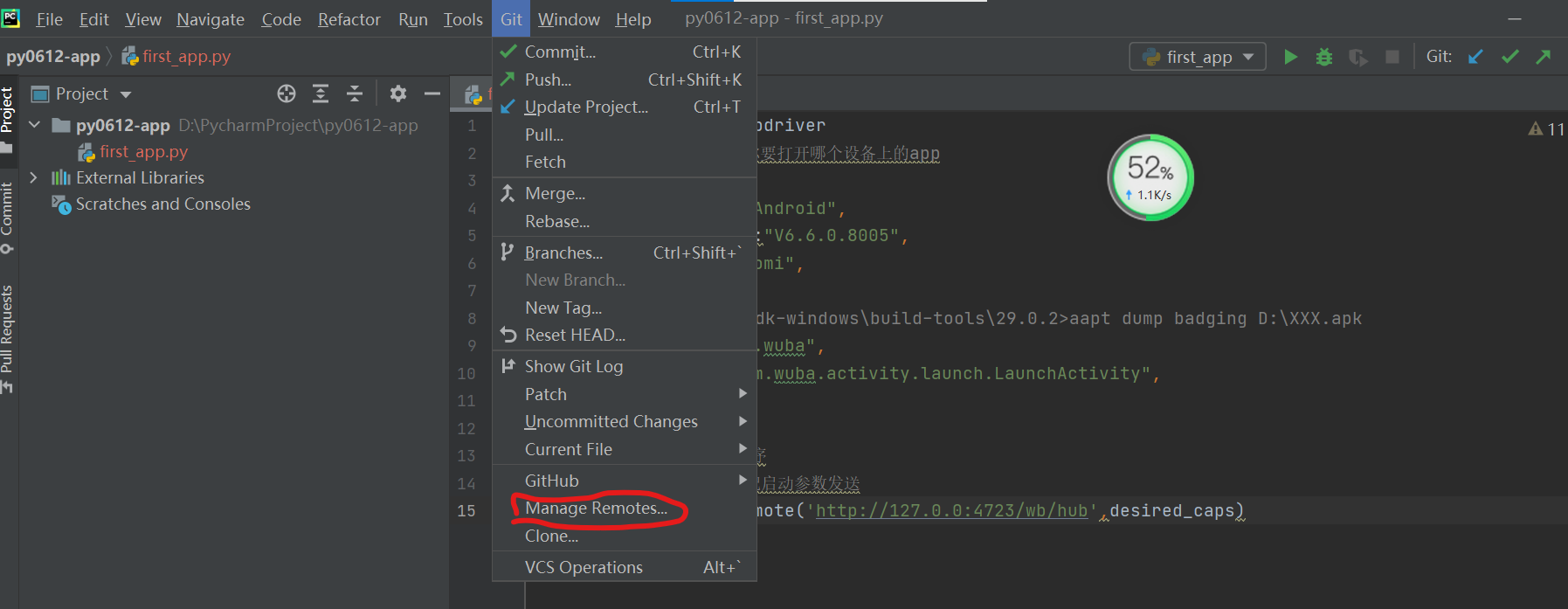
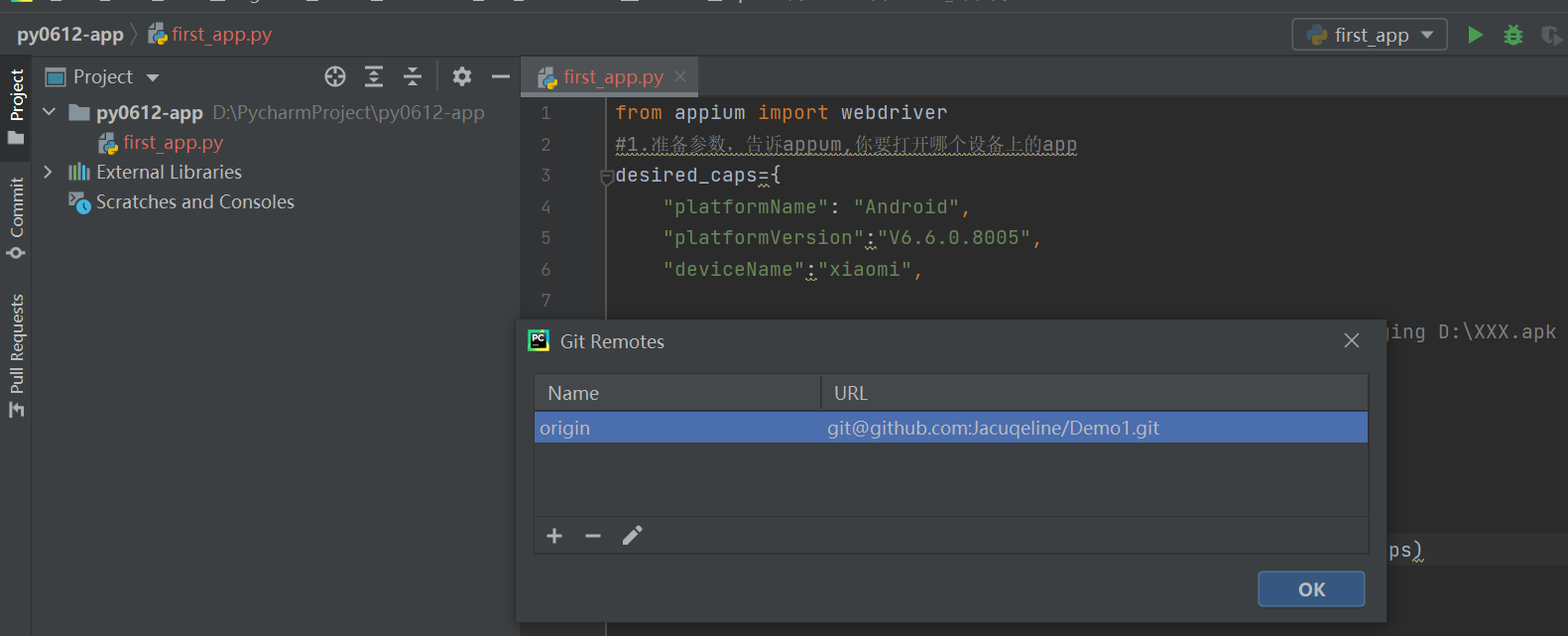
2.Define Remotes
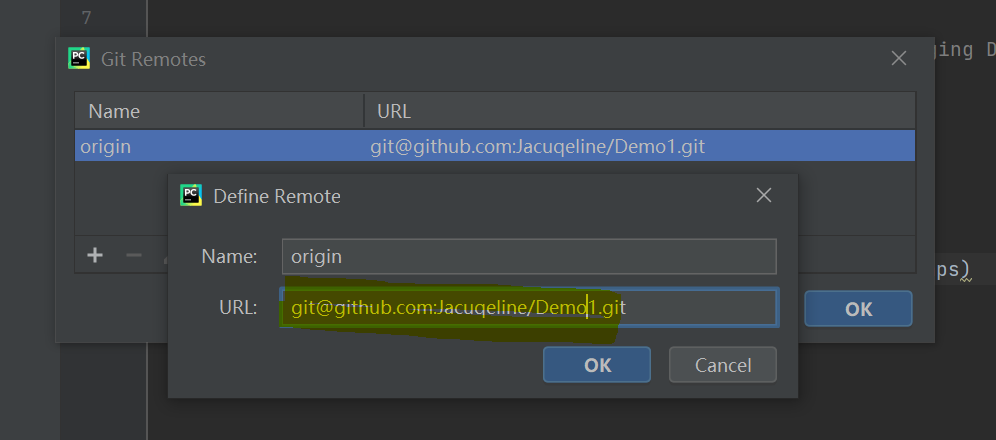
3.复制SSH 到GIt
Open Git bash
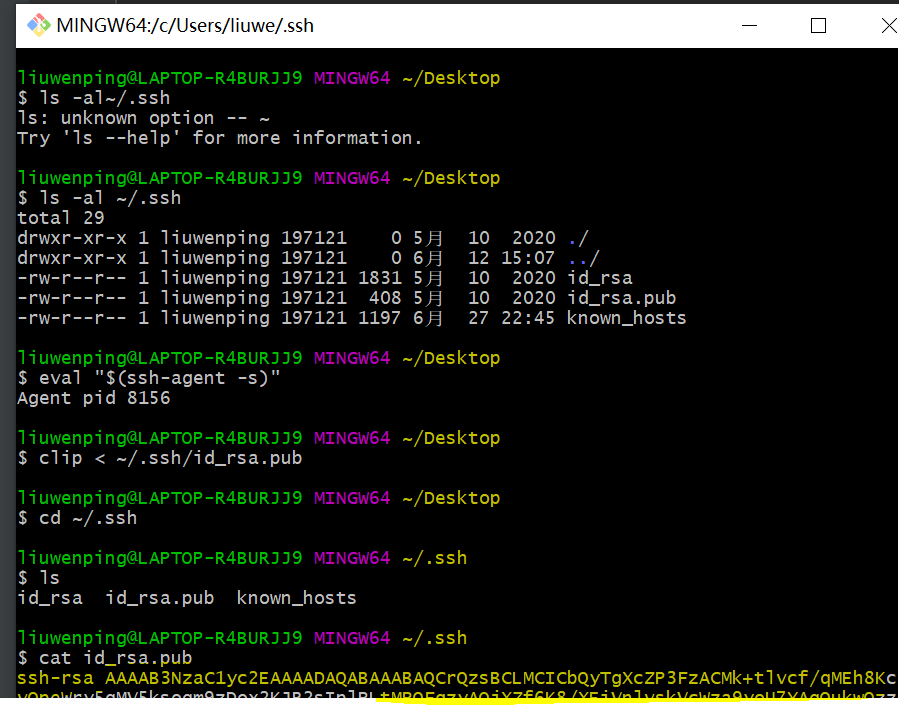
4.复制最后黄色的到git ,添加ssh key
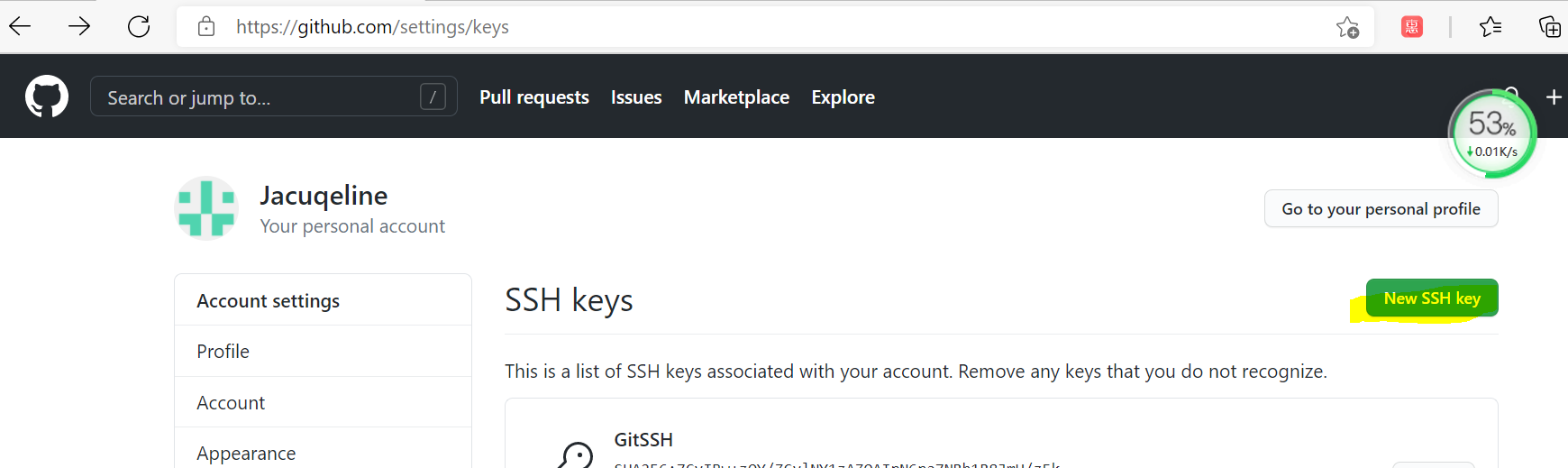
5.复制SSH 到pycharm

6.连接成功
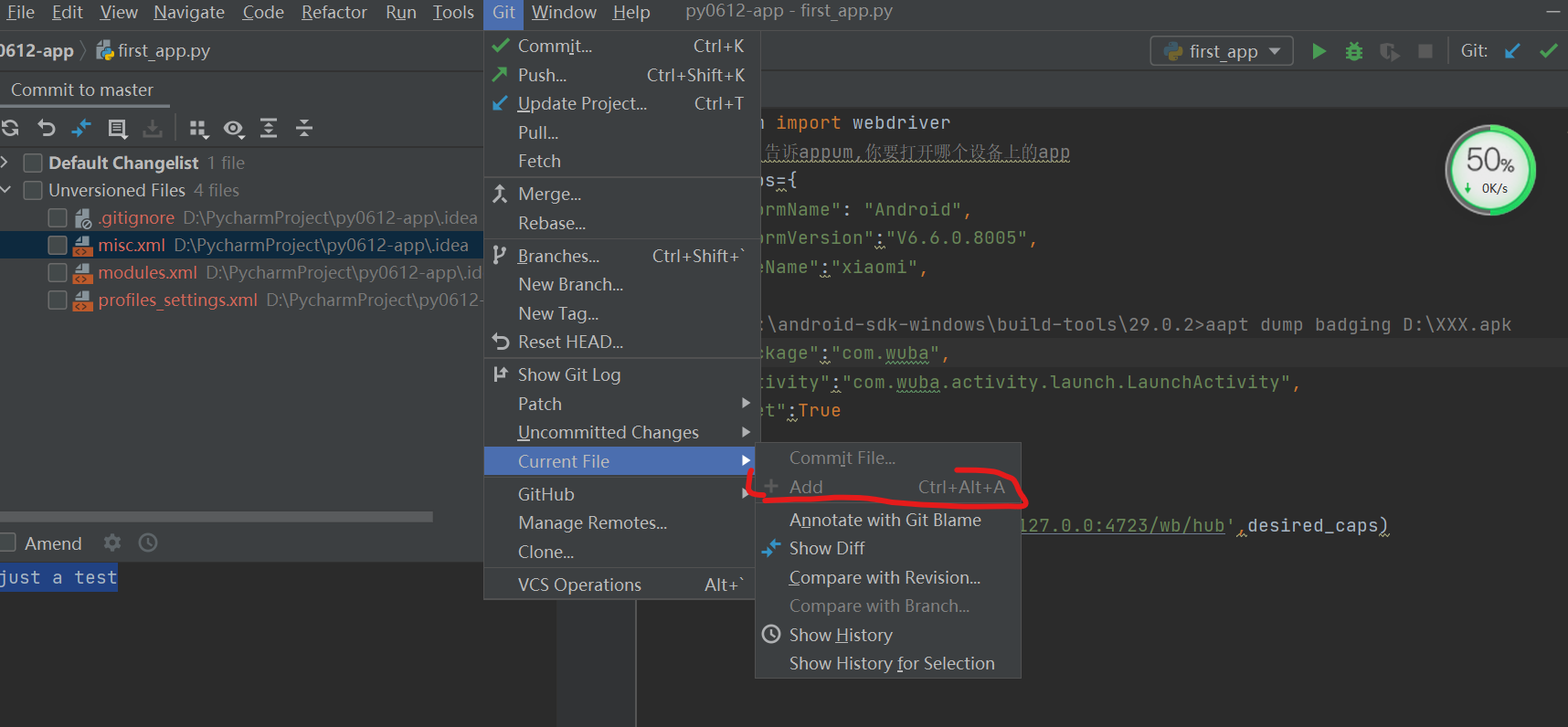
7.git ->add
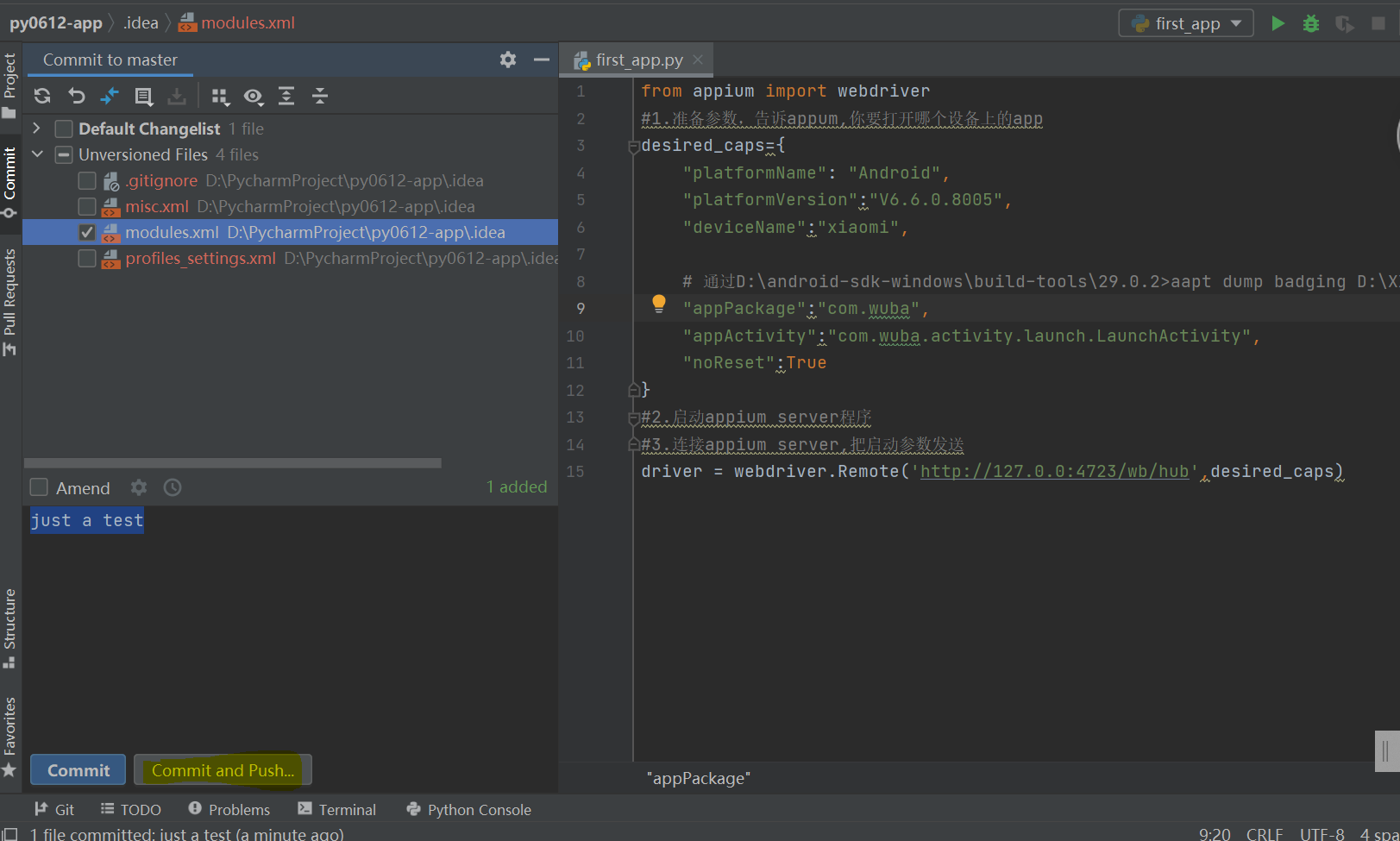
8.Git->Commit file,Message
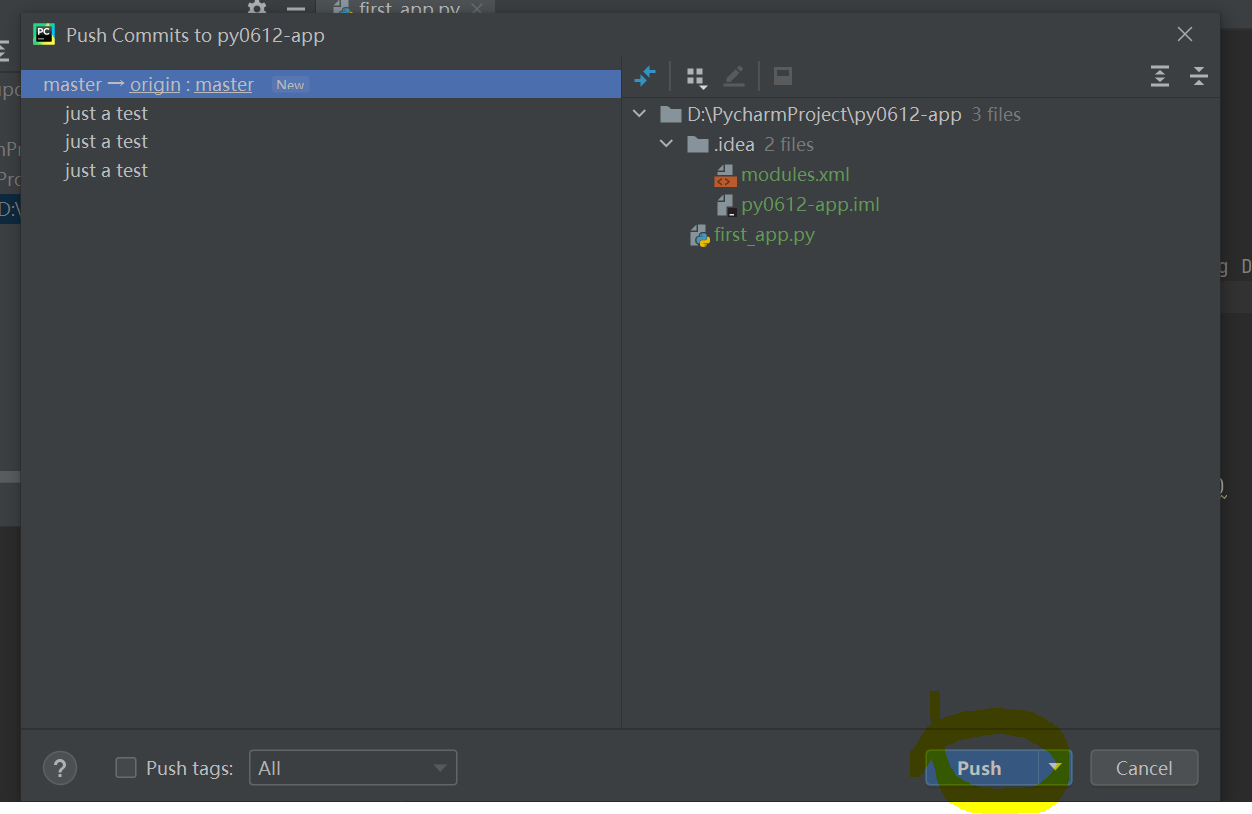
9.push
评论(0)