
用GoAccess实现可视化并实时监控access日志
时间:2018-12-16 18:14:56
收藏:0
阅读:955
1.ubuntu16.04安装GoAccess
GoAccess下载地址:https://goaccess.io/download
安装步骤:
$ wget https://tar.goaccess.io/goaccess-1.3.tar.gz
$ tar -xzvf goaccess-1.3.tar.gz
$ cd goaccess-1.3/
$ ./configure --enable-utf8 --enable-geoip=legacy
$ make
# make install
Q1:在执行第四步./configure时,遇到问题:
configure: error:
*** Missing development files for the GeoIP library
解决方法:
$ wget https://github.com/maxmind/geoip-api-c/releases/download/v1.6.11/GeoIP-1.6.11.tar.gz
$ tar -xzvf GeoIP-1.6.11.tar.gz
$ cd GeoIP-1.6.11
$ ./configure
$ make
# make install
Q2:在执行第四步./configure时,遇到问题:
configure: error: *** Missing development libraries for ncursesw
解决方法:
要使用--enable-utf8,你需要安装ncursesw,下面是安装命令:
sudo apt-get install libncursesw5-dev
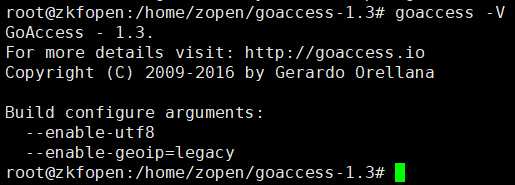
安装完成截图:
2.
评论(0)